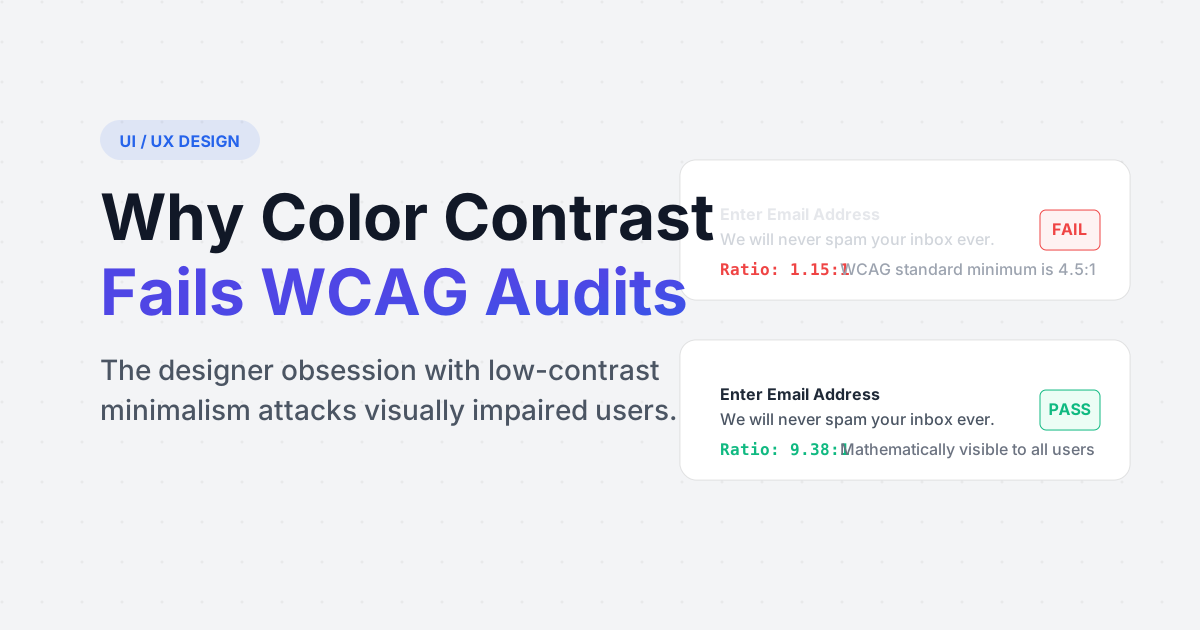
Over the last decade, high-end technology companies adopted a fiercely elegant design language. Thick black borders were erased. Absolute black text (`#000000`) was aggressively softened to a subtle, washed-out slate gray (`#9ca3af`). Buttons became ghostly outlines. The web became beautiful, stark, and minimalist.
It also became completely illegible for hundreds of millions of human beings.
This design trend severely violates the mathematical laws of the Web Content Accessibility Guidelines (WCAG). What looks flawlessly chic on a developer's 6K Retina display running at maximum brightness is completely invisible to an elderly user utilizing an older LCD monitor in a sunlit room.
The Rise of Low-Contrast Minimalism
Designers hate high contrast. The brutal mathematics of pure black on pure white feels overly aggressive to artistic sensibilities. To create depth and visual hierarchy, designers naturally drift towards gray tones to indicate secondary information (like the date on a blog post, or the placeholder text inside an email form).
The problem occurs when the foreground gray value bleeds too heavily into the background white value. Low vision users, individuals with astigmatisms, or perfectly healthy humans walking outside with screen glare completely lose the ability to differentiate the letters from the canvas.
What is the WCAG 2.1 Standard?
The W3C organization established a strict mathematical rubric to end the subjective debate over whether text is readable. They score contrast ratios on a scale of `1:1` (Invisible, white text on a white background) to `21:1` (Maximum, pure black text on pure white background).
- WCAG AA (The Legal Minimum): Requires a contrast ratio of strictly 4.5:1 for normal text, and 3.0:1 for large text (Headers).
- WCAG AAA (The Gold Standard): Requires a rigorous contrast ratio of 7.0:1 for normal text. This is heavily utilized by government domains.
Stop guessing with your eyes
Do not trust your artistic vision, trust the algorithm. Use our strict automated contrast validation tool to instantly analyze your foreground and background Hex codes, generating your exact WCAG accessibility score.
Launch WCAG Contrast CheckerThe Mathematics of Relative Luminance
Contrast is not calculated natively by looking at color distance. It is aggressively calculated by analyzing Relative Luminance, which specifically targets how the human eye heavily isolates the Green channel of a pixel over the Blue channel.
If you take a pure neon Yellow (`#FFFF00`) and a pure neon Blue (`#0000FF`) that look radically different to you, WCAG math immediately spots that the glowing yellow pixel bleeds heavily into a white DOM background, resulting in a horrific contrast failure of `1.07:1`.
Accessibility Lawsuits in 2025
This is no longer purely an ethical argument regarding user experience. Under the Americans with Disabilities Act (ADA) and similar European statutes, web domains act as public accommodations. Massive corporations, from Domino's Pizza to Beyoncé's merchandise store, have suffered extreme legal judgments precisely because their digital storefronts failed WCAG contrast metrics, completely blocking visually impaired citizens from transacting freely.
Frequently Asked Questions
Purely cosmetic logos and branding elements are entirely exempt from the 4.5:1 text-contrast ratios. However, non-text graphical UI components (like the geometric border of an 'input' text box, or an arrow indicating a dropdown menu) must pass a strict 3.0:1 ratio so users know they can physically interact with them.
If your `#a1a1aa` text is failing on a white background, you do not need to leap strictly to pitch black. Mathematically creeping the hex code darker linearly across the shade spectrum (e.g., stopping at `#52525b`) achieves a 5.6:1 pass rate while retaining the softened secondary-hierarchy feel.
No. In fact, many designers accidentally break dark mode worse than light mode. Using pure white text (`#FFFFFF`) against an absolute black background (`#000000`) creates a vicious halation effect for users with astigmatism (where the bright text visually blurs outward). Accessible dark modes utilize slightly muted off-whites against dark slate grays.