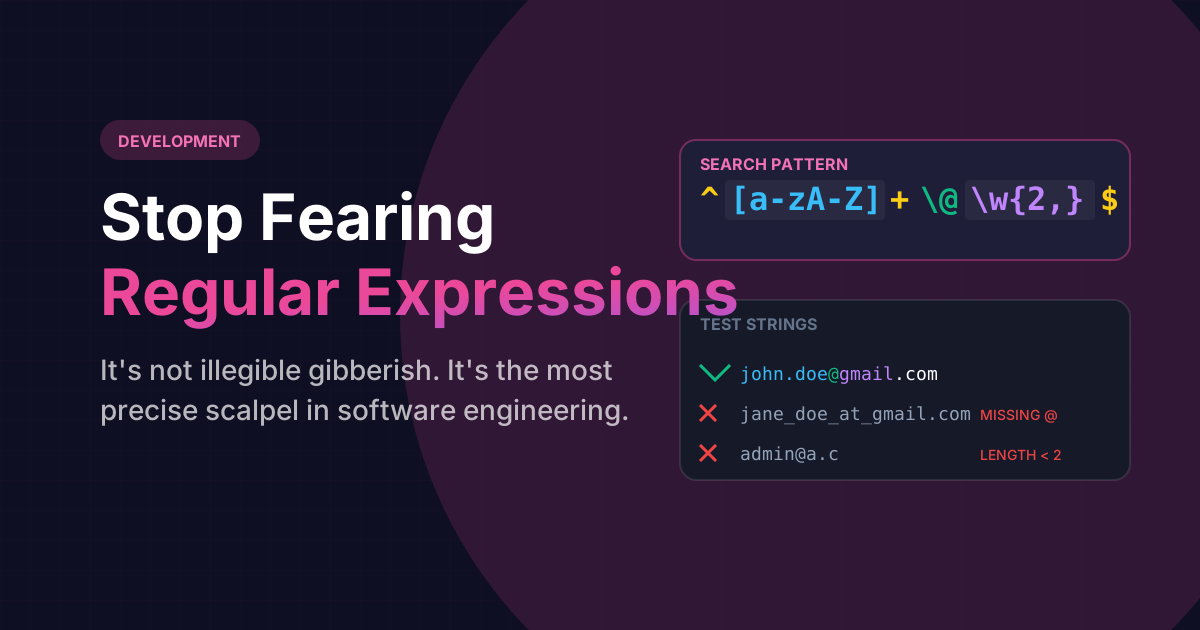
Every junior developer hits a specific terrifying roadblock early in their career. They are tasked with validating an email address submitted by a user on a form. They search StackOverflow for the solution, and they are handed back a line of code that looks roughly like this:
^[a-zA-Z0-9._%+-]+@[a-zA-Z0-9.-]+\.[a-zA-Z]{2,}$At first glance, this is horrifying. It legitimately mimics the output of a developer violently smashing their hands against the keyboard. The developer usually copies it blindly, prays it works, and vows never to look at it again.
This is a catastrophic mindset to adopt. Regular Expressions (RegEx) are the absolute sharpest, most mathematically precise scalpel in the entire discipline of computer engineering. It is not gibberish. It is a highly localized language of infinite pattern matching.
Why Does Regex Look Like Broken Gibberish?
Regex lacks words. Unlike Python or Ruby where commands read like English ("If `str.includes('dog')`"), Regex is an entirely symbolic syntax. It operates via Meta-Characters. Because you only have roughly 30 symbols on a standard keyboard to describe complex logic branches, every single symbol carries immense structural weight.
To the untrained eye, `[A-Z]+$` looks like a typo. To a senior engineer, it explicitly dictates a rigid logic rule regarding line-terminating capitals.
The Three Pillars of Validation
You can learn 95% of all Regex logic you will ever need to use by understanding just three core structural pillars:
- Character Classes `[]`: Placing items inside brackets tells the engine "Match any ONE of these characters." For example,
[abc]matches a, or b, or c. Typing[0-9]matches any single numeric digit. - Quantifiers `+` `*` `?`: Once you define a character class, you must tell the engine how many times to expect it. The
+means "One or more times." The*means "Zero or more times." The?makes the preceding item entirely optional. - Anchors `^` `$`: These lock your pattern in space. The
^explicitly demands the pattern starts at the very beginning of the string. The$explicitly demands it ends at the very end. Without these, Regex will lazily match valid substrings inside of larger invalid garbage data.
Stop guessing. Visualize the engine.
Never deploy a Regex string blindly to production again. Use our interactive testing GUI to instantly highlight massive text documents, verify capturing groups in real-time, and catch logic flaws before they break your app.
Launch Interactive RegEx TesterA Real-World Email Validation Breakdown
Let's dismantle the terrifying code block from earlier into human logic:
^[a-zA-Z0-9._%+-]+
"From the very START of the line, I require at least ONE or more lowercase letters, uppercase letters, numbers, or standard dots/dashes."
@
"There MUST be a literal '@' symbol right here."
[a-zA-Z0-9.-]+
"Give me the domain name. It must be letters, numbers, or dashes. Give me at least ONE of them."
\.[a-zA-Z]{2,}$
"There MUST be a literal dot('.'). After that, give me strictly Letters (The .com/.org domain extension). Give me between 2 and infinity of them, and then the string MUST END immediately."
The Fatal Flaw of Manual If-Statements
If you refuse to use Regex, and instead try to validate an email address manually using standard JavaScript string commands (like `.split('@')`, iterating over every letter, checking for illegal characters, running `.endsWith('.com')`), you will literally write roughly 50 lines of incredibly brittle, bug-ridden code to accomplish what a Regex does securely in EXACTLY one line.
Frequently Asked Questions
Mostly, but not exactly. The core logic (the pillars) is universal. However, different language engines (like PCRE in PHP vs V8 in JavaScript) have slight dialect variations, specifically regarding advanced features like positive/negative Lookbehinds.
DO NOT DO THIS. There is a legendary developer law: "You cannot parse [X]HTML with RegEx." Because HTML is structurally fractal, recursively nested, and often malformed, attempting to capture it via infinite Regex loops creates catastrophic algorithmic failures called Catastrophic Backtracking. Always use an actual DOM parser.
They are convenient shorthand aliases. "\d" is exactly identical to typing out the full bracket "[0-9]" (any digit). "\w" stands for word character, and is exactly identical to typing "[a-zA-Z0-9_]". They drastically reduce visual clutter in complex strings.