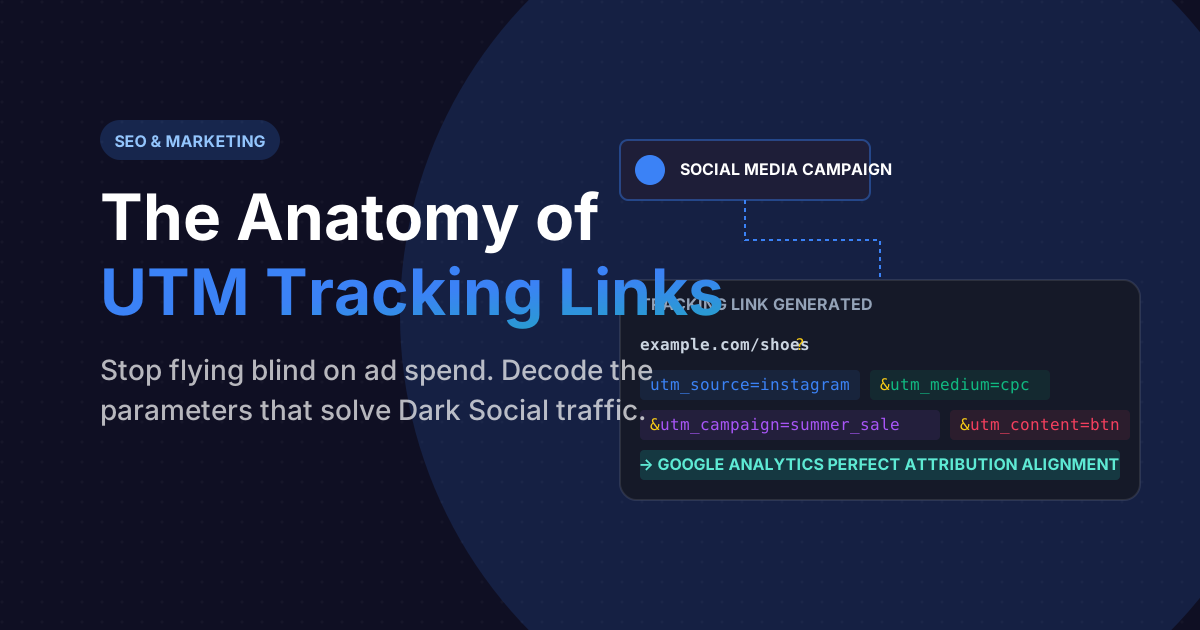
If you've ever clicked a link inside a promotional email or an Instagram ad, it's highly likely that the URL you were redirected to looked something like this:
example.com/shoes?utm_source=newsletter&utm_medium=email&utm_campaign=summer_saleTo an average user, this looks like messy computer jargon. To a digital marketer, this string of text is the absolute holy grail of data. It is a UTM Parameter string.
Without UTM parameters, multi-million dollar marketing campaigns fly completely blind. When users arrive on your website, Google Analytics drops them into a bucket labeled "Direct Traffic", offering zero insight into whether your $10,000 Facebook Ad actually generated any revenue. Let's decode exactly how these microscopic tracking codes work.
What Does UTM Actually Stand For?
UTM stands for Urchin Tracking Module. The name "Urchin" comes from Urchin Software Corporation, an analytics company that Google acquired in 2005. The Urchin software was the direct predecessor to what we now know as Google Analytics.
While the word 'Urchin' is completely dead in the modern tech ecosystem, the parameter naming convention (`utm_`) survived and became the undisputed universal standard for every single analytics provider on earth, from Adobe Analytics to MixPanel.
The Five Pillars of Campaign Tracking
A UTM link is composed of specific key-value pairs appended to the end of a URL using a question mark `?`. There are exactly five standard parameters every marketer utilizes:
- utm_source: *Who* sent the traffic? (e.g., `google`, `facebook`, `newsletter`, `twitter`)
- utm_medium: *How* was the traffic sent? (e.g., `cpc` for paid clicks, `email`, `social`)
- utm_campaign: *Why* was the traffic sent? The specific internal name of your promo (e.g., `summer_sale_2025`, `retargeting_abandoned_cart`).
- utm_term: Mostly used for paid search to identify the exact keyword bid on (e.g., `running+shoes`).
- utm_content: Used to differentiate identical links. If you have two different Ad banners in the same email, one might be `top_banner` and the other `bottom_button`.
Stop building URLs mathematically in notepad
Missing one single `&` symbol in your UTM link will silently destroy your Google Analytics attribution. Use our precise builder tool to mathematically generate flawless, fully-encoded tracking URLs instantly.
Launch UTM Campaign GeneratorSolving the Dark Social Attribution Problem
If you don't use UTMs, you suffer from "Dark Social." Imagine a user copies your website link and texts it to their friend via WhatsApp. When the friend clicks it, they launch their phone browser and land on your website.
Because WhatsApp strips traditional HTTP Referrer data for privacy, Google Analytics literally has no idea where this user came from. It chalks it up as "Direct Traffic," assuming they actively typed the URL into their browser manually.
If instead, you provide a copy-link button that automatically embeds `?utm_source=whatsapp&utm_medium=social_share`, you instantly illuminate the dark traffic. You can suddenly prove exactly which social messaging apps are driving your highest converting leads.
Frequently Asked Questions
No. Google's crawler is explicitly programmed to ignore anything following a `utm_` parameter tag when calculating duplicate content. However, it is a strict best practice to always place a `` tag on your webpage pointing to the clean, parameter-free URL to be absolutely safe.
Absolutely NOT. This is a massive rookie mistake. If a user enters your site via a Google Search, their 'Session Source' is set to Google. If they then click an internal banner on your homepage that uses a UTM link (like `?utm_source=homepage_banner`), Google Analytics instantly overwrites their original session. You just annihilated your organic search attribution.
Yes, completely. `utm_source=Facebook` and `utm_source=facebook` will show up as purely distinct, separate rows inside Google Analytics. You must enforce a strict lower-case standardization policy across your entire marketing department.