You have published an incredible recipe for a chocolate cake. You formatted the ingredients nicely, you took high-resolution photos, and the webpage looks beautiful. A human reading your page instantly understands: "This is a recipe for a cake that takes 30 minutes to bake and serves 8 people."
But how does Google view your page? To a web crawler, your site is just an abyss of generic HTML tags. It sees `<h1>`, `<p>`, and `<li>` elements. It doesn't actually know what "30 minutes" means. Is it a podcast episode length? A video duration? An athlete's running time?
Unless you explicitly teach Google the context of your data, you are missing out on the most powerful feature in modern Search Engine Optimization: Rich Snippets.
The Problem: Search Engines Can't Read Human Context
For the first 15 years of the internet, search engines operated using raw keyword matching. If your page contained the word "Apple," the algorithm had to guess whether you were talking about the fruit, the technology company, or a record label.
In 2011, Google, Bing, Yahoo!, and Yandex formed an unprecedented alliance to fix this chaos. They created a universal vocabulary called Schema.org. It operates as a standardized translator, allowing web developers to tag elements on their webpage so machines can unambiguously understand context.
What Exactly is Schema (Structured Data)?
Schema Markup (often referred to generically as Structured Data) is essentially an invisible script hidden inside the `
` of your website code. It operates completely behind the scenes; your human visitors will never see it, but Google's crawlers slurp it up instantly.Instead of hoping Google determines that your page is a Product Page, you inject a script that definitively states:
- Type: Product
- Name: Wireless Headphones
- Price: $99.99
- Availability: InStock
- Review Rating: 4.7 Stars
You have just removed 100% of the guesswork for the algorithm.
Stop writing code manually
Writing JSON-LD brackets by hand results in fatal syntax errors. Use our visual builder to automatically generate Google-approved Schema.
Launch Schema GeneratorThe Ultimate Goal: Triggering Rich Snippets
Why should you go through the hassle of adding all this invisible code to your website? Because when Google fully understands your data via Schema, it rewards you with Rich Snippets.
Have you ever searched for a recipe and noticed that some results include a mouth-watering thumbnail image, the cook time, and a 5-star rating graphic displayed directly on Google's search page? That is a Rich Snippet, driven entirely by `Recipe` schema.
Have you ever searched for a software issue and seen an elegant drop-down FAQ accordion right inside the search results? That is driven entirely by `FAQPage` schema.
Studies show that securing a Rich Snippet can increase your organic Click-Through Rate (CTR) by over 30%. Because your search result consumes more vertical pixel space and features visual cues (like gold review stars), you steal massive amounts of traffic from the competitors ranking directly above you.
Why JSON-LD is the Gold Standard
Historically, developers embedded schema directly into their HTML tags using a messy format called Microdata. It required finding the exact `` tag holding a price and attaching complicated attributes to it.
Google has officially deprecated this approach and heavily recommends using JSON-LD (JavaScript Object Notation for Linked Data). JSON-LD allows you to elegantly list all of your structured data in one single, clean block of code located safely out of the way in your document's `
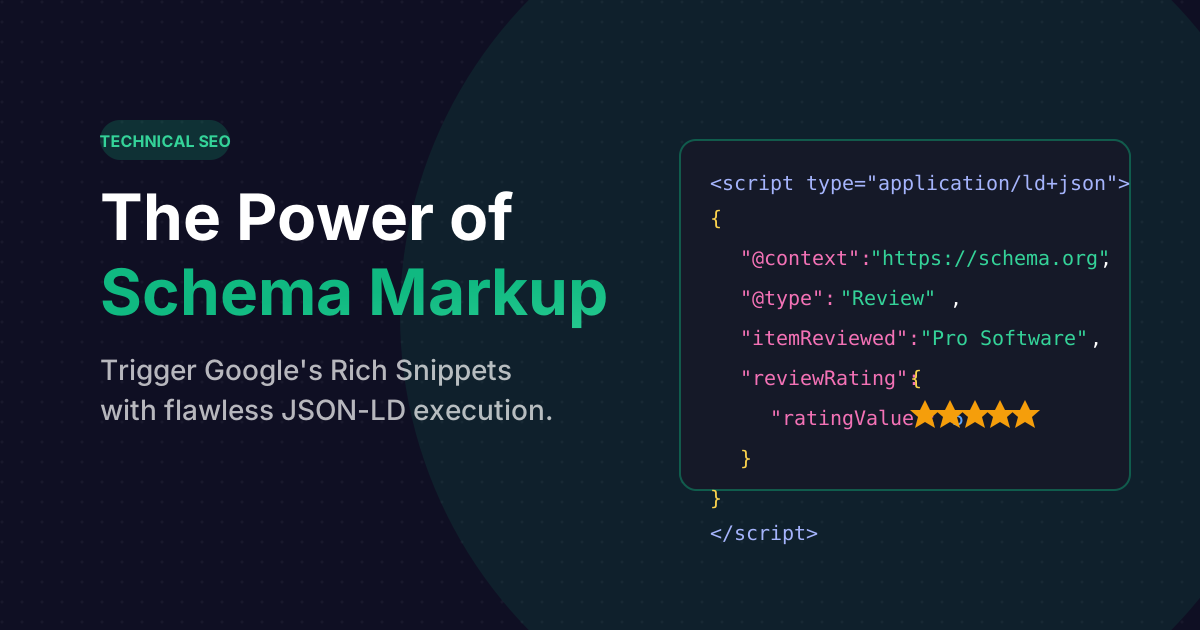
`. This prevents your visual HTML from becoming cluttered and broken during redesigns.<script type="application/ld+json">
{
"@context": "https://schema.org",
"@type": "Article",
"headline": "Understanding Schema",
"author": {
"@type": "Person",
"name": "Jane Doe"
}
}
</script>How to Generate Error-Free Schema Code Automatically
Writing JSON syntax manually is dangerous. A single missing comma or bracket will invalidate the entire script, and Google's crawler will silently ignore it.
The smartest and fastest workflow is to use a Schema Generator Tool. By utilizing the free Footprint Schema Generator, you are presented with a clean, visual questionnaire. You simply select the type of entity you are building (e.g., Article, Local Business, Product, FAQ), and fill out the text boxes.
The tool automatically structures, formats, and escapes the JSON-LD script on the right-hand panel, entirely client-side. You simply click "Copy to Clipboard" and paste it right before your closing `` tag.
Frequently Asked Questions
No. Google explicitly states that providing structured data simply makes a page "eligible" for a rich snippet. Ultimately, Google's algorithm decides whether displaying a rich result will improve the searcher's experience. However, without Schema, your chances are strictly 0%.
You should always run your final URL through the Google Rich Results Testing Tool. This free official tool provided by Google will parse your page and flag any critical errors (like missing price data on a product) and warn you about missing attributes.
Absolutely not. This is known as "Structured Data Spam" and Google heavily penalizes domains that attempt it. If you inject AggregateRating schema claiming a 5-star rating without a legitimate, user-facing review system visible on the actual webpage, Google will hit your site with a manual action penalty, drastically dropping your rankings.